Boostly SMS Marketing Platform
Customer Opt-In Process
Last Updated: December 4, 2025
The toll-free number being registered is a customer of the Boostly text marketing platform for restaurants and will be used exclusively with Boostly's services. Boostly provides standardized opt-in methods that all customers use.
This document explains how Boostly customers collect consent for SMS marketing. All restaurants using Boostly follow this same standardized opt-in process.
1 Overview: How the Boostly Opt-In Process Works
All Boostly opt-ins follow the same core principle: consumers text a keyword to the toll-free number to opt in. This is the actual moment of consent.
Boostly provides multiple ways for customers to discover and initiate this opt-in, but they all result in the same action: the consumer sending a message containing a keyword.
Direct, QR Code,
or Link
The Actual
Opt-In Action
Including Opt-out Instructions (STOP)
Consumer Can Text STOP to Opt-out Anytime
2 Keyword-Based Opt-In: The Core Mechanism
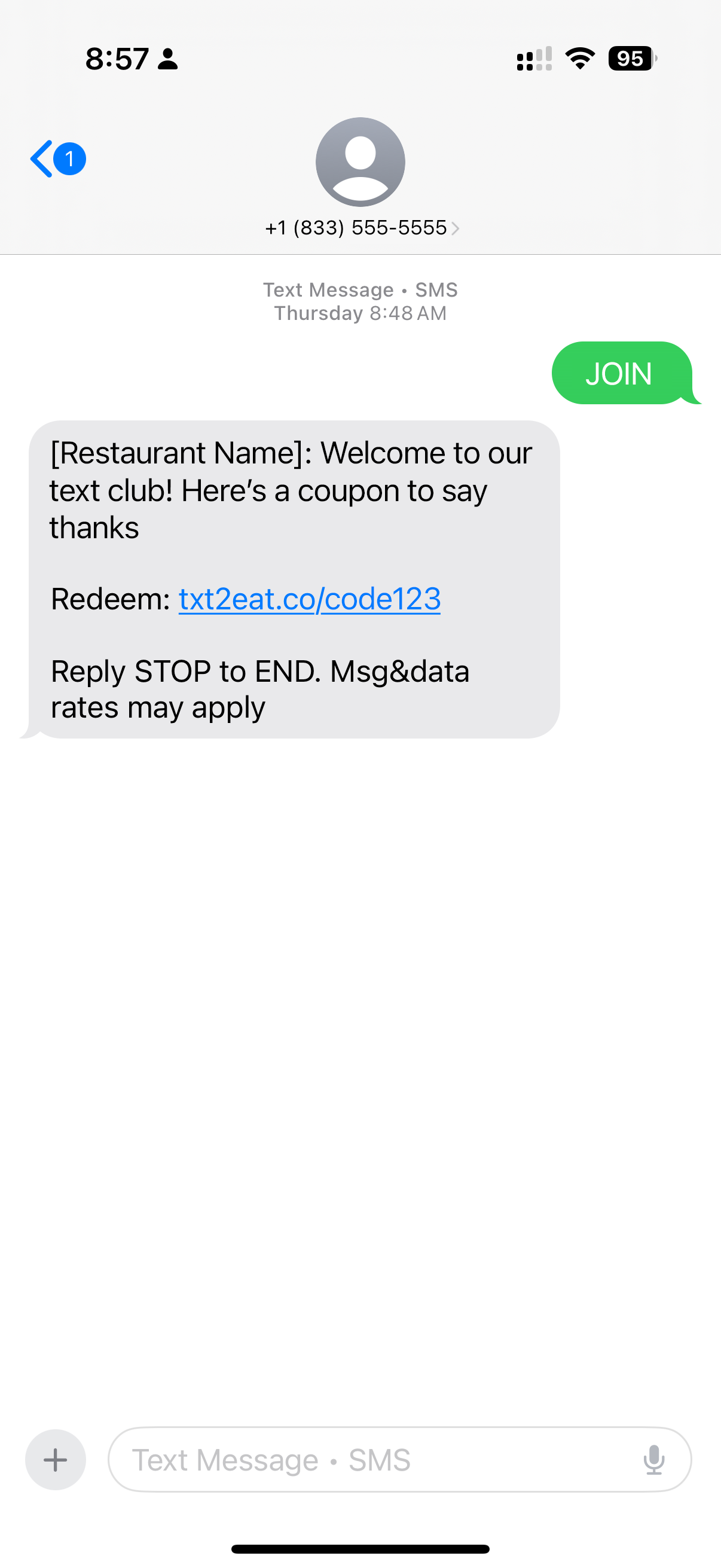
To opt-in to a restaurant's messaging, consumers text a keyword to the toll-free number. This message serves as the actual moment of consent. The consumer immediately receives a confirmation message. Keyword based opt-ins are the core way that consumers opt-in to messaging from restaurants using the Boostly platform.
Example: Consumer texts "JOIN" to +1 (833) 555-5555
3 Making It Easier: QR Codes and Links
The basic keyword join works, but Boostly provides two additional methods that make it even easier for consumers. Both methods still result in the consumer texting the keyword to join the restaurant's text club. These methods just pre-fill the message so the consumer only needs to tap "Send".
🌐 Website QR Code
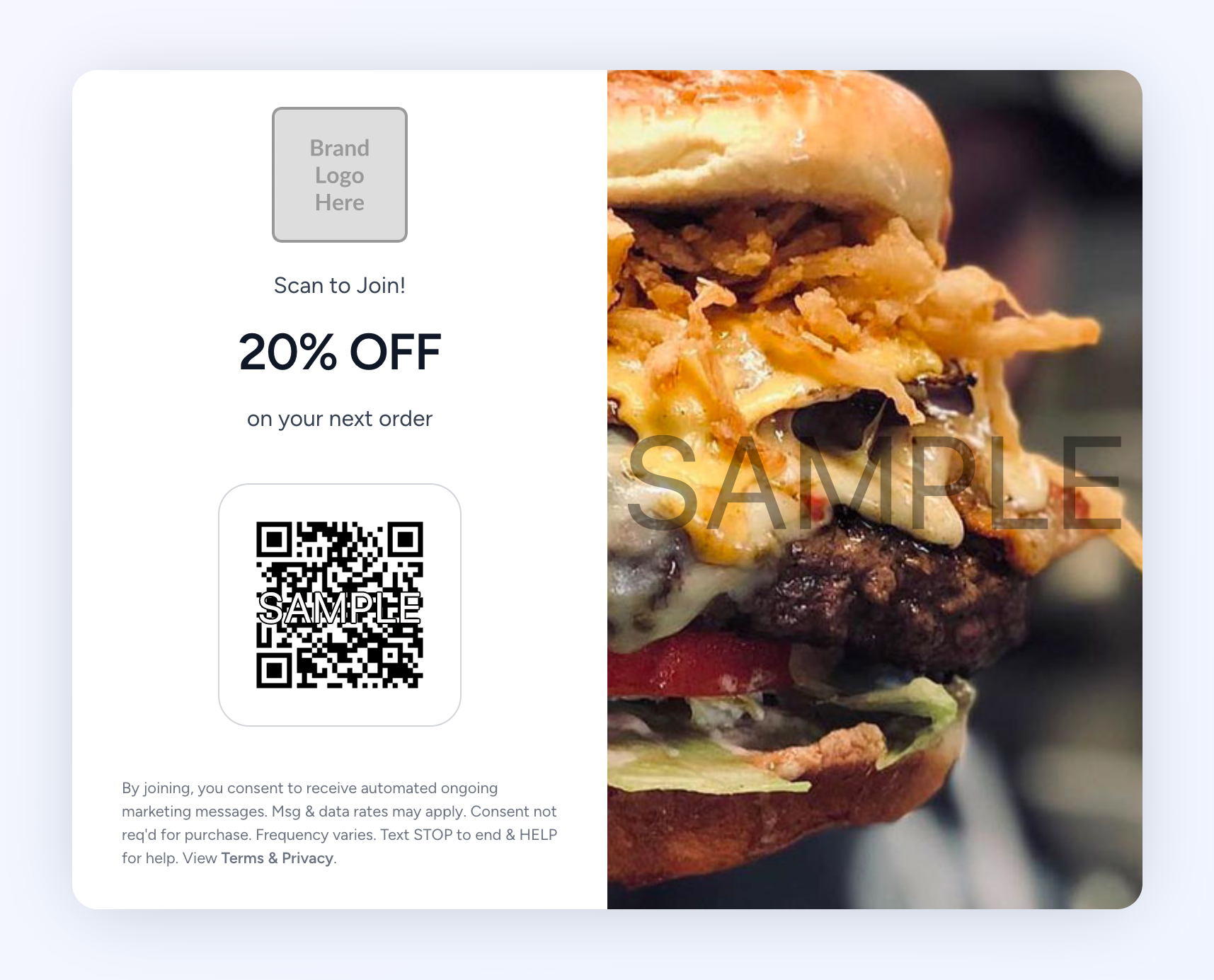
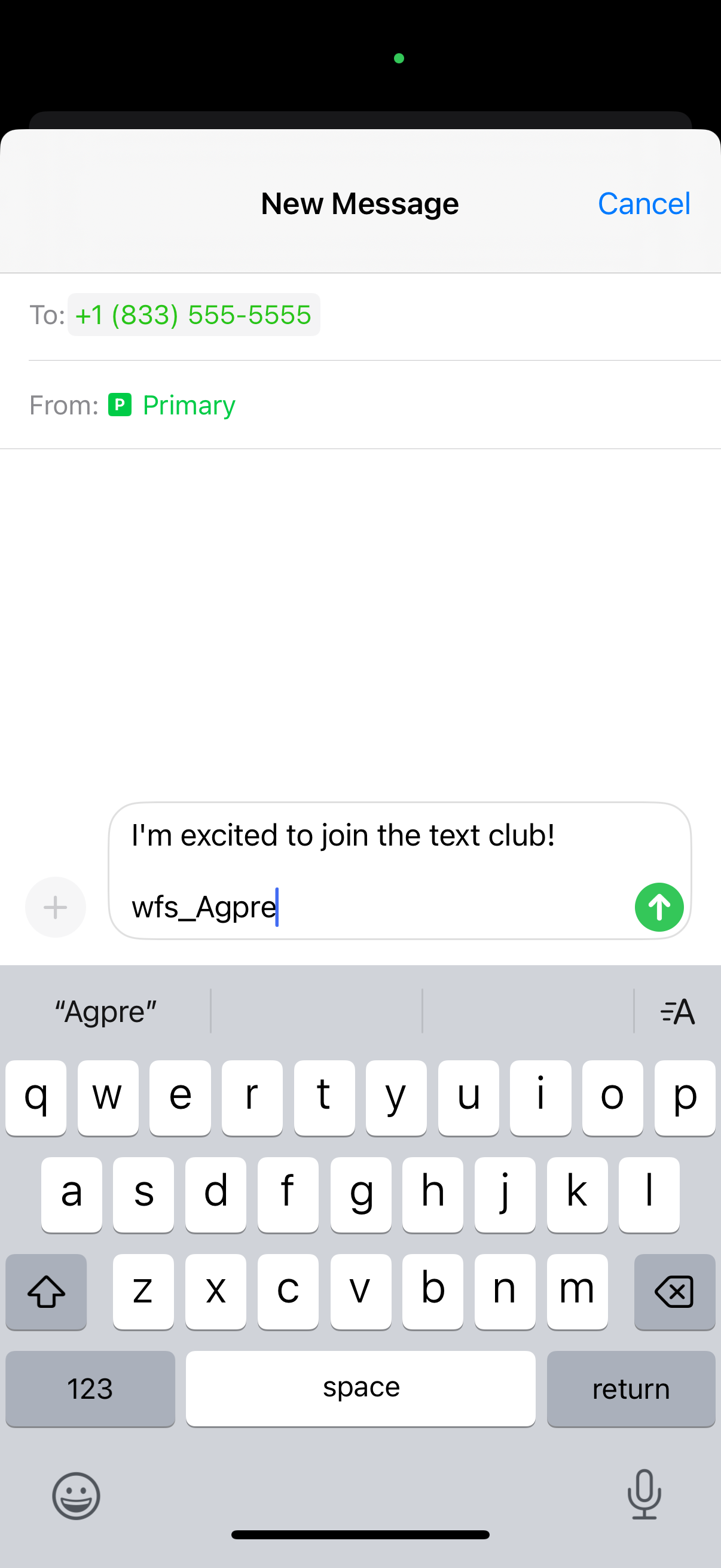
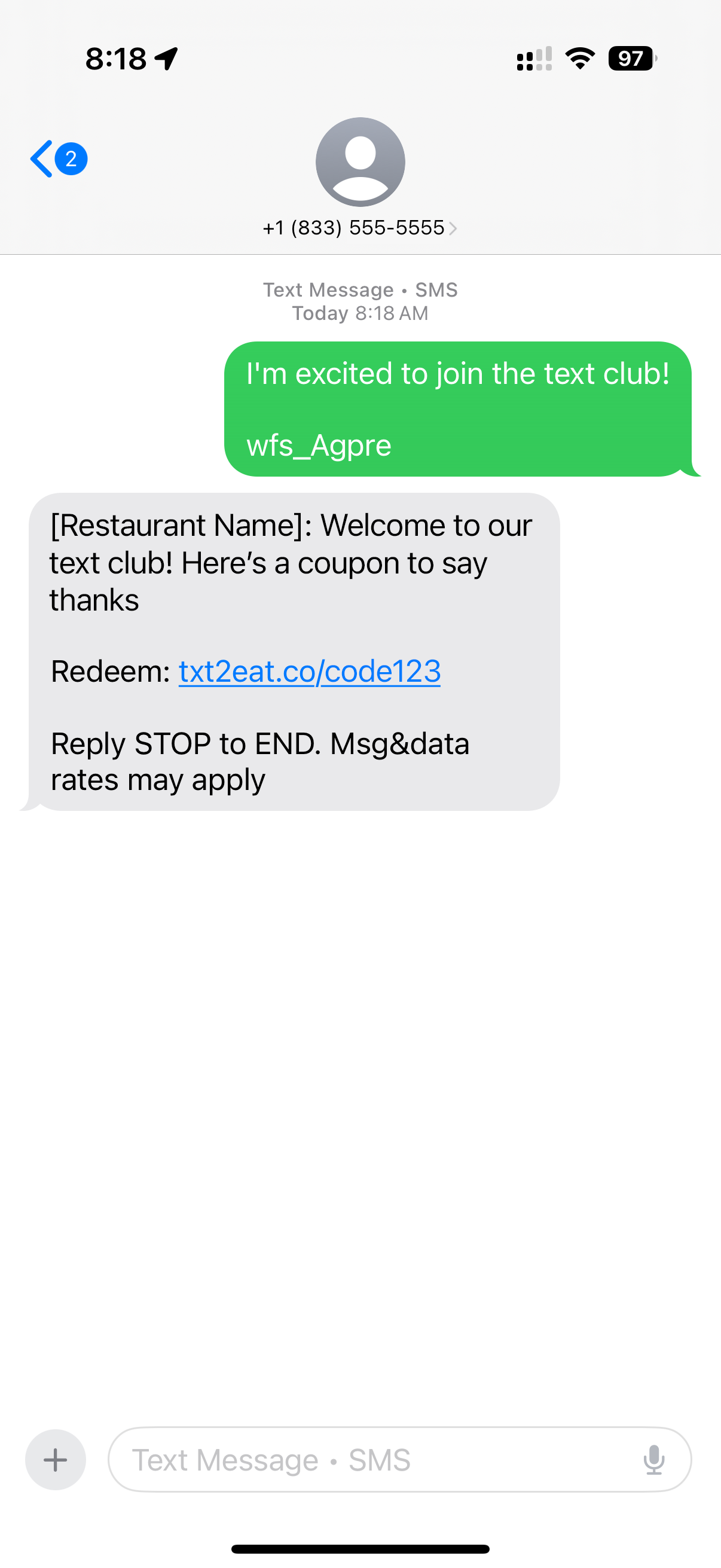
The restaurant can display a QR code widget powered by Boostly on their website. When a consumer scans the QR code with their phone camera, it opens their messaging app and pre-fills a message containing a keyword to the restaurant's toll-free number. The consumer then sends the message to complete opt in.
Step 1: Consumer encounters the QR code widget
Step 2: Scanning opens pre-filled message
Step 3: Consumer sends message and receives confirmation
🔗 Shareable Links (Click-to-Join)
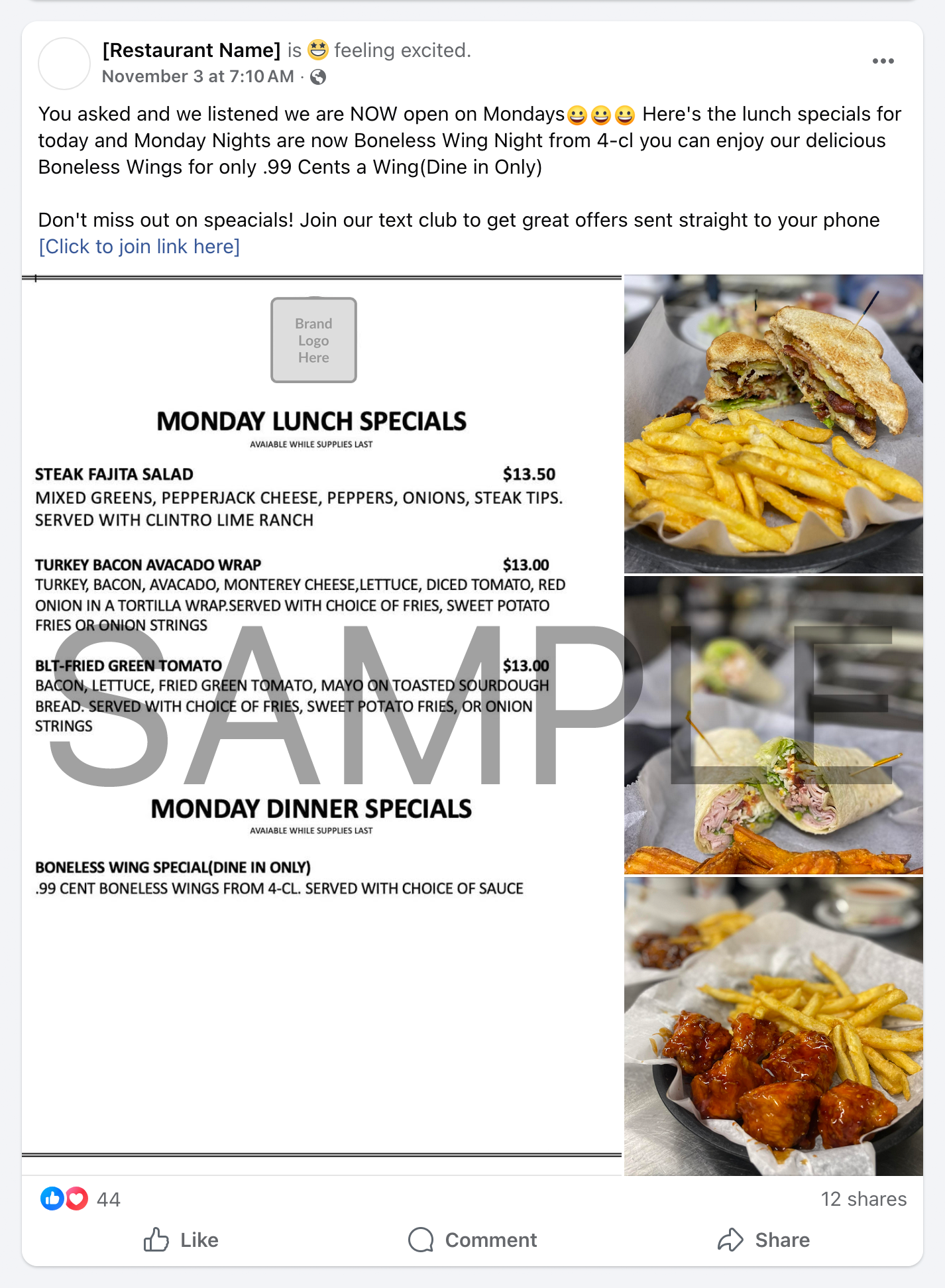
The restaurant can create shareable click-to-join links that can be distributed via social media posts, email, or other channels. When a consumer clicks the link, it opens their messaging app and pre-fills a message containing a keyword to the restaurant's toll-free number. The consumer then sends the message to complete opt in.
If a consumer clicks a link on desktop, they are taken to the QR Code flow explained above.
Step 1: Restaurant shares a click to join link (example: Facebook post)
Step 2: Consumer clicks link on mobile
Step 3: Consumer sends message and receives confirmation
Key Points About the Opt-In Process
- Platform-Level Infrastructure: This is Boostly's standardized infrastructure - every restaurant customer uses this exact same opt-in system
- Always SMS-Based: The actual opt-in moment is always the consumer texting a keyword to the toll-free number
- Multiple Discovery Methods: Consumers can discover the opt-in through direct promotion, QR codes, or shareable links - but all methods lead to the same SMS-based opt-in
- Active Consent: Consumers must actively send an SMS message to opt in - this is an explicit action that demonstrates clear consent
- Convenience Features: QR codes and links simply pre-fill the message to make the opt-in easier, but the consumer still initiates the SMS